비즈니스를 등록하고, 인증 수준을 높이고, 사용자가 신뢰를 증명해야 하는 사이트에 대해 Checkify Passes를 만듭니다.
Every new business receives 100 free credits when you register. Use them for verifications before you need to buy more or enable overflow billing.
By selecting overflow billing, you will only be charged once your free 100 credits have been used up. You can cancel your subscription at any time.
Install the Checkify app, create your identity, then follow these steps in Settings. The same business account also works on checkify.me.
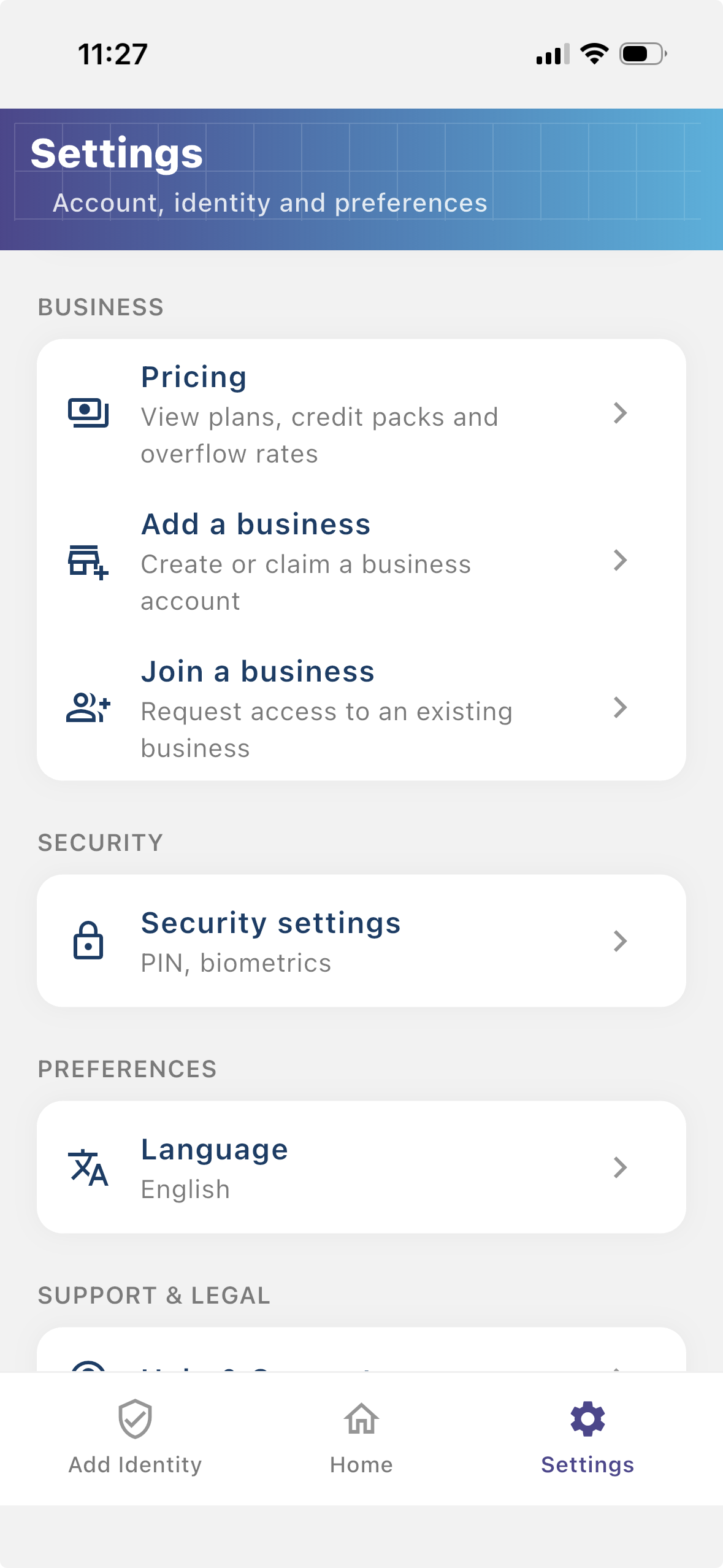
단계 1
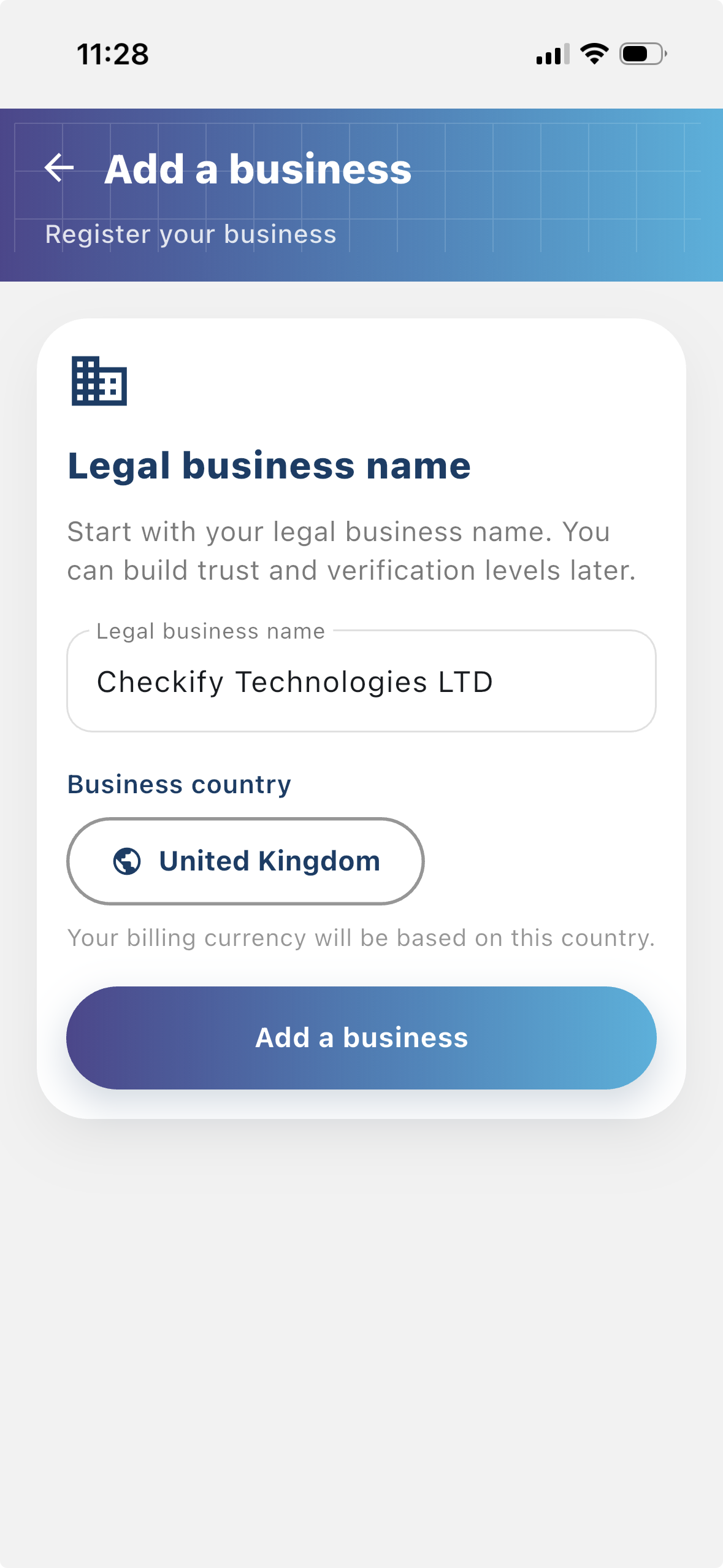
사용자가 인증을 요청하는 사람이 누구인지 확인할 수 있도록 업체를 등록하세요. 등록된 비즈니스는 Checkify 흐름에 더 많은 컨텍스트를 제공하고 사용자와의 신뢰 구축에 도움이 됩니다.
단계 2
사이트는 Checkify Passes가 생성되고 사용되는 곳입니다. 이는 웹사이트, 앱, 결제 흐름, 예약 흐름, 실제 장소, 리셉션 데스크, 카운터 또는 기타 실제 위치일 수 있습니다.
단계 3
A Checkify Pass는 사이트에 대해 생성한 증거 요청입니다. 18세 이상 사람의 검증, 특정 행위에 대한 승인 등 사용자가 증명하기를 원하는 내용을 정의합니다.
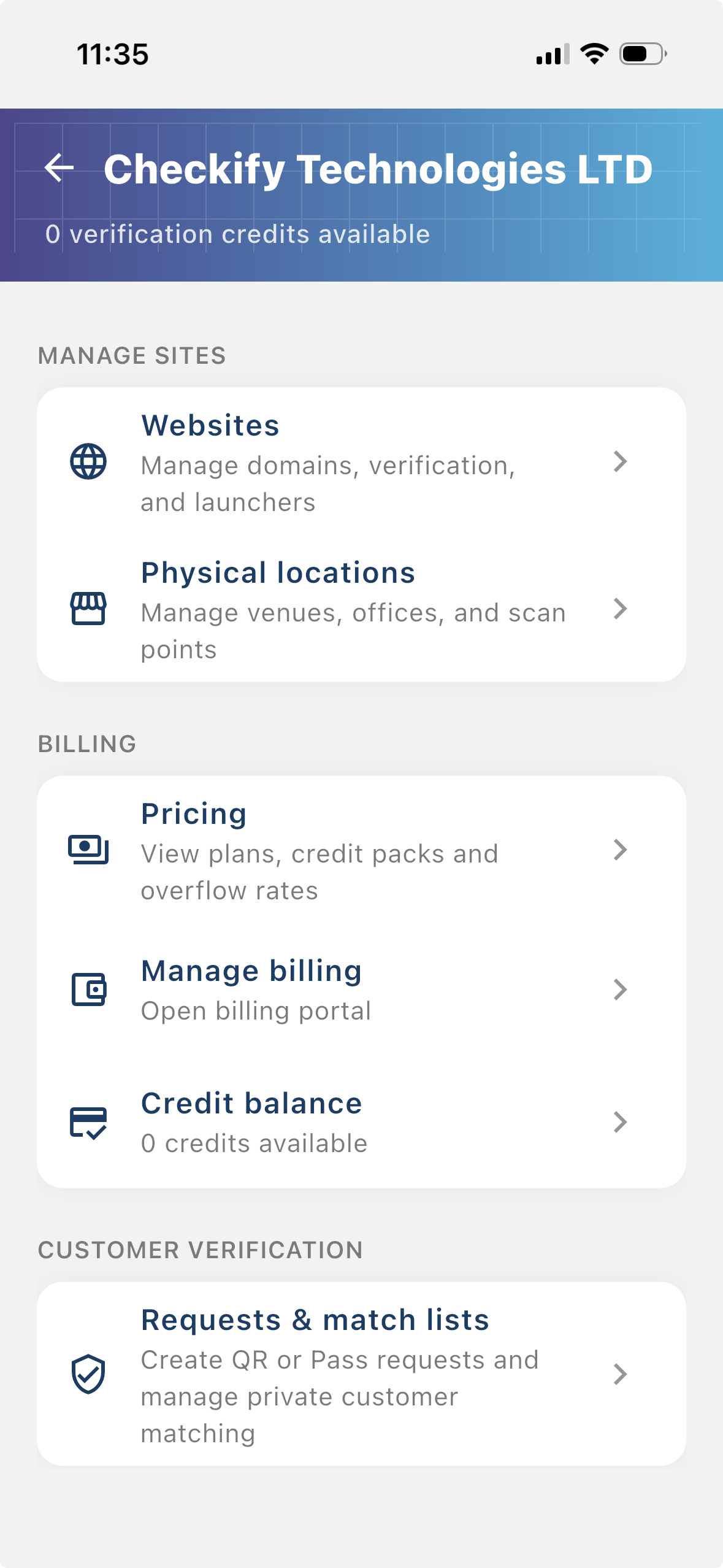
From the business menu you can:
단계 4
Go to Settings → Manage sites. Here you add websites, apps, or physical locations where Checkify Passes will be used.
단계 5
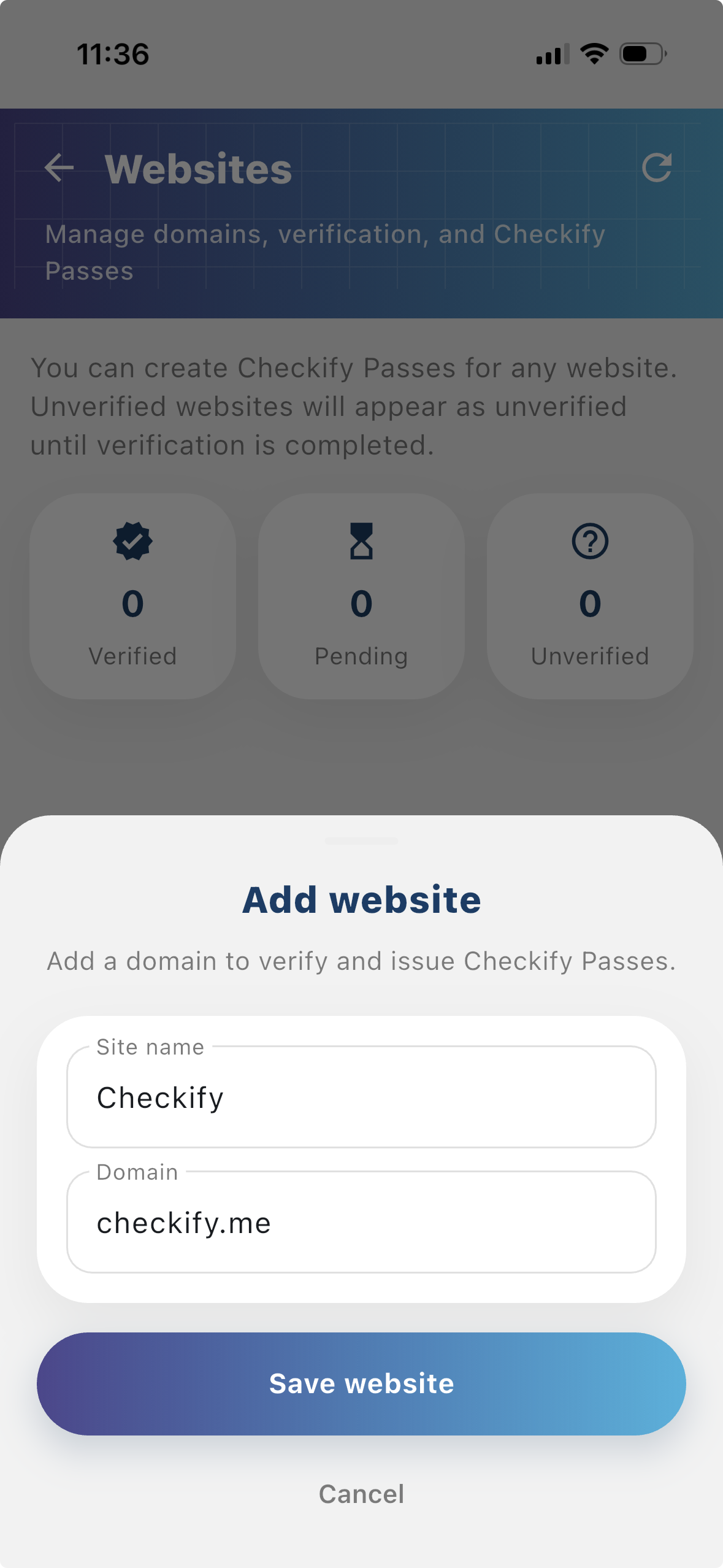
Tap to add a website or physical location. Checkify auto-provisions one Pass per site. If this is your first site, choose overflow billing and save a card when prompted — you are only charged after your free 100 credits are used up.
New businesses get 100 free credits on sign-up. These are applied automatically when your business is created.
By selecting overflow billing, you will only be charged once your free 100 credits have been used up. You can cancel your subscription at any time.
You can also register at checkify.me, sign in with the app, and manage sites from the business dashboard. The app setup above is the fastest path for most teams.
Register on checkify.me →하나의 사이트, 하나의 증명 요청, 하나의 비즈니스 흐름으로 시작하세요. 그런 다음 성장함에 따라 비즈니스 신뢰 수준을 높이십시오.