비즈니스를 등록하고, 인증 수준을 높이고, 사용자가 신뢰를 증명해야 하는 사이트에 대해 Checkify Passes를 만듭니다.
모든 신규 사업체는 등록 시 최대 500개의 무료 신원 확인 크레딧을 받게 되며, 이는 3개월 동안 또는 소진될 때까지 사용 가능합니다(둘 중 먼저 도래하는 시점까지). 카드 정보는 필요하지 않습니다. 유료 플랜으로 전환하기 전에 이 크레딧을 사용하여 연령 확인 및 기타 지원되는 신원 확인 절차를 진행하세요.
사용량 초과 청구 방식을 선택하시면 무료 크레딧 100개를 모두 사용한 후에만 요금이 청구됩니다. 구독은 언제든지 취소할 수 있습니다.
Checkify 앱을 설치하고 계정을 생성한 다음 설정에서 다음 단계를 따르세요. 동일한 비즈니스 계정은 checkify.me에서도 사용할 수 있습니다.
단계 1
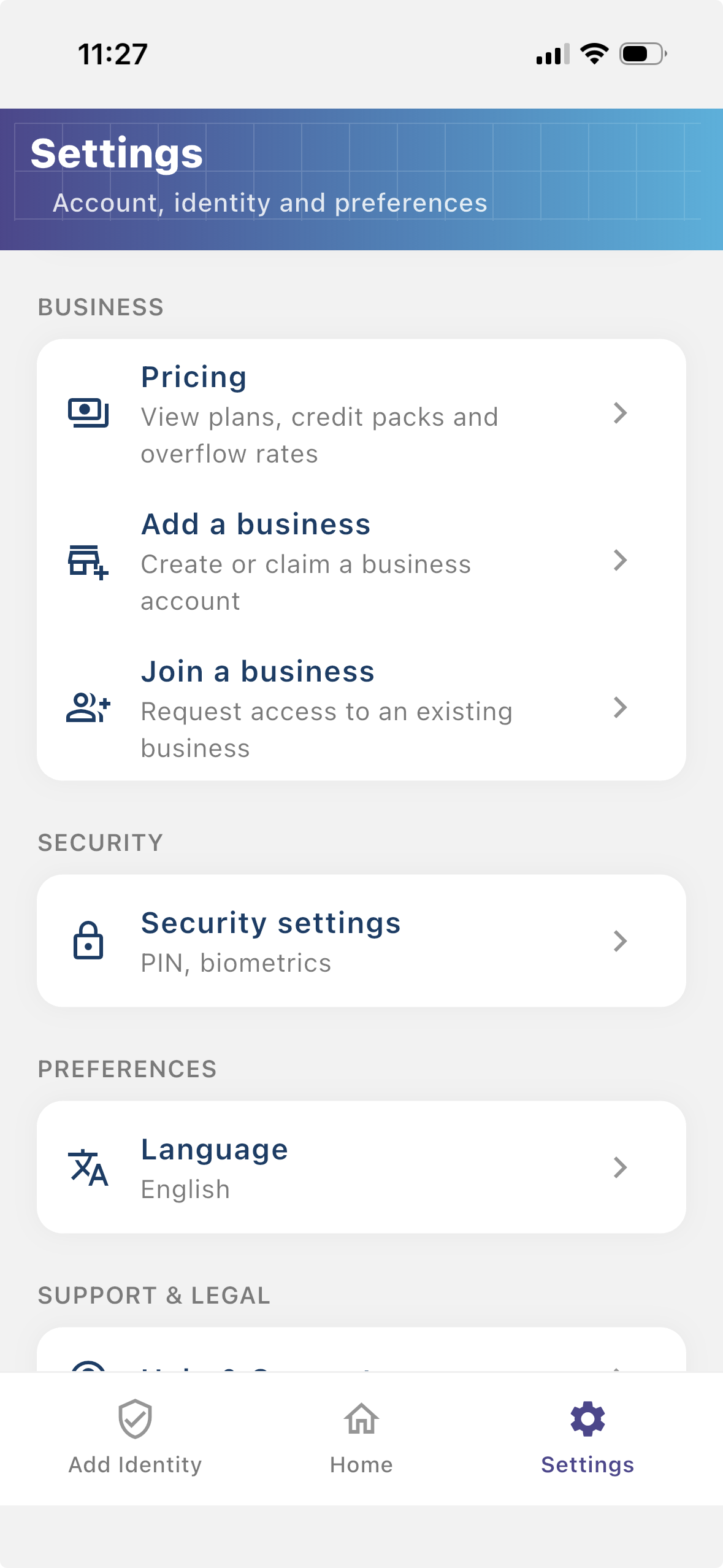
사용자가 인증을 요청하는 사람이 누구인지 확인할 수 있도록 업체를 등록하세요. 등록된 비즈니스는 Checkify 흐름에 더 많은 컨텍스트를 제공하고 사용자와의 신뢰 구축에 도움이 됩니다.
단계 2
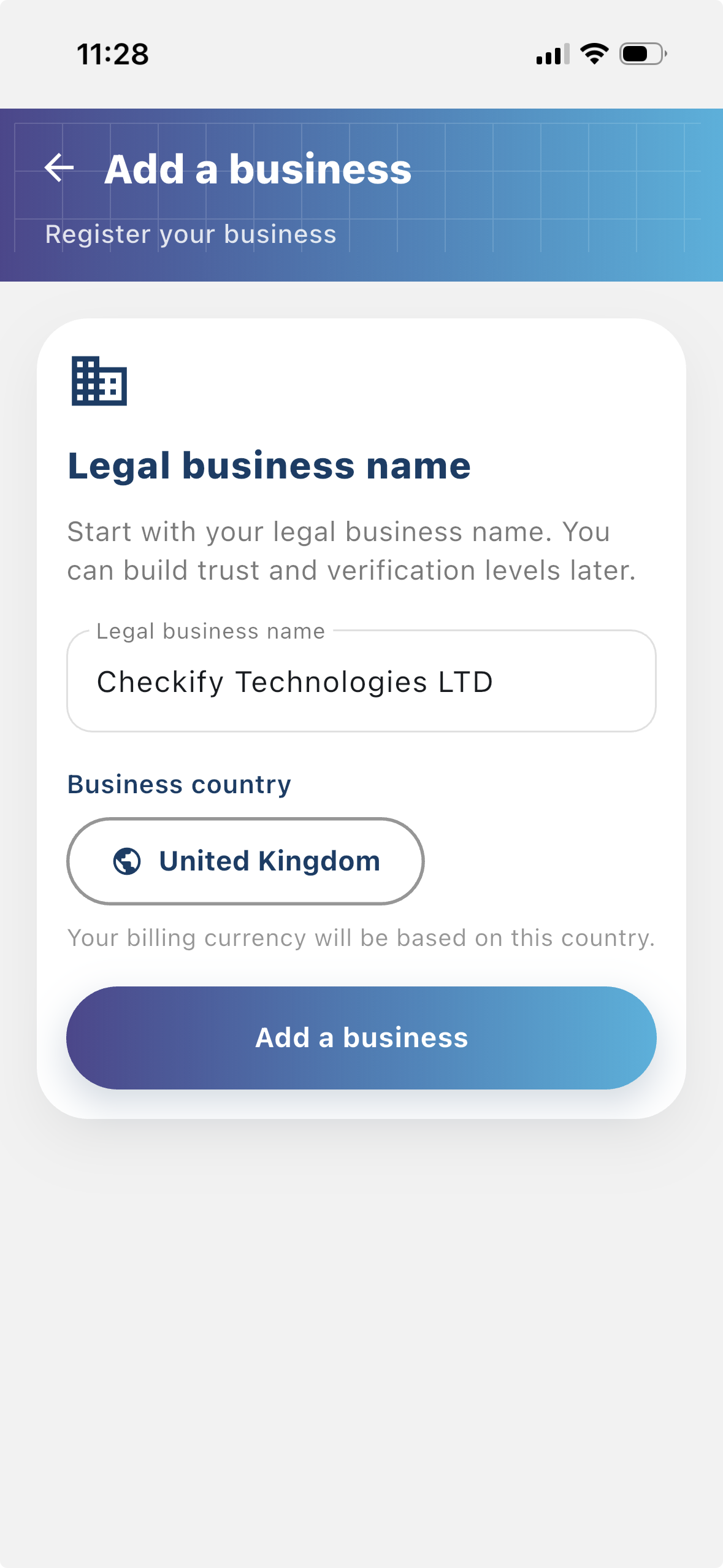
사이트는 Checkify Passes가 생성되고 사용되는 곳입니다. 이는 웹사이트, 앱, 결제 흐름, 예약 흐름, 실제 장소, 리셉션 데스크, 카운터 또는 기타 실제 위치일 수 있습니다.
단계 3
A Checkify Pass는 사이트에 대해 생성한 증거 요청입니다. 18세 이상 사람의 검증, 특정 행위에 대한 승인 등 사용자가 증명하기를 원하는 내용을 정의합니다.
비즈니스 메뉴에서 다음을 선택할 수 있습니다.
단계 4
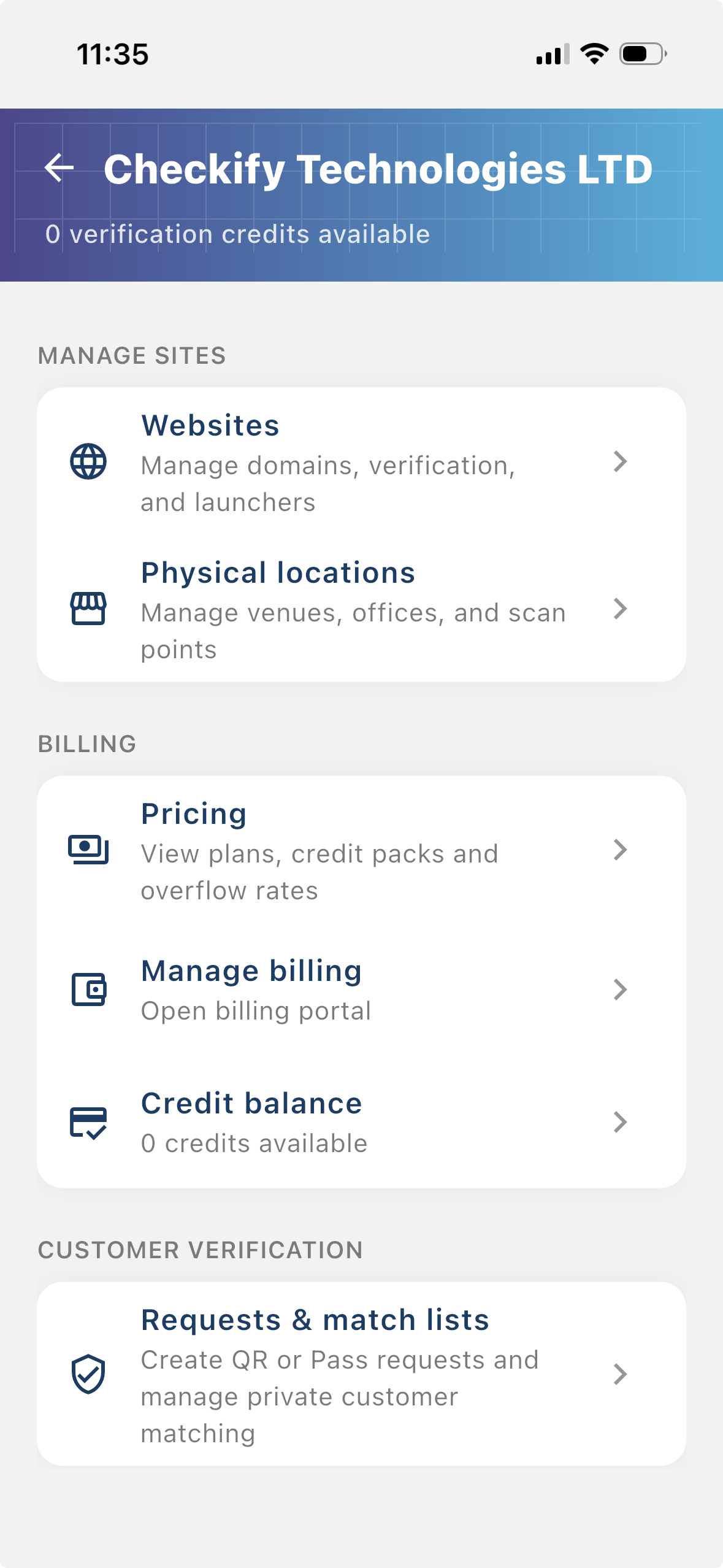
설정 → 사이트 관리로 이동하세요. 여기에서 Checkify Passes를 사용할 웹사이트, 앱 또는 실제 위치를 추가할 수 있습니다.
단계 5
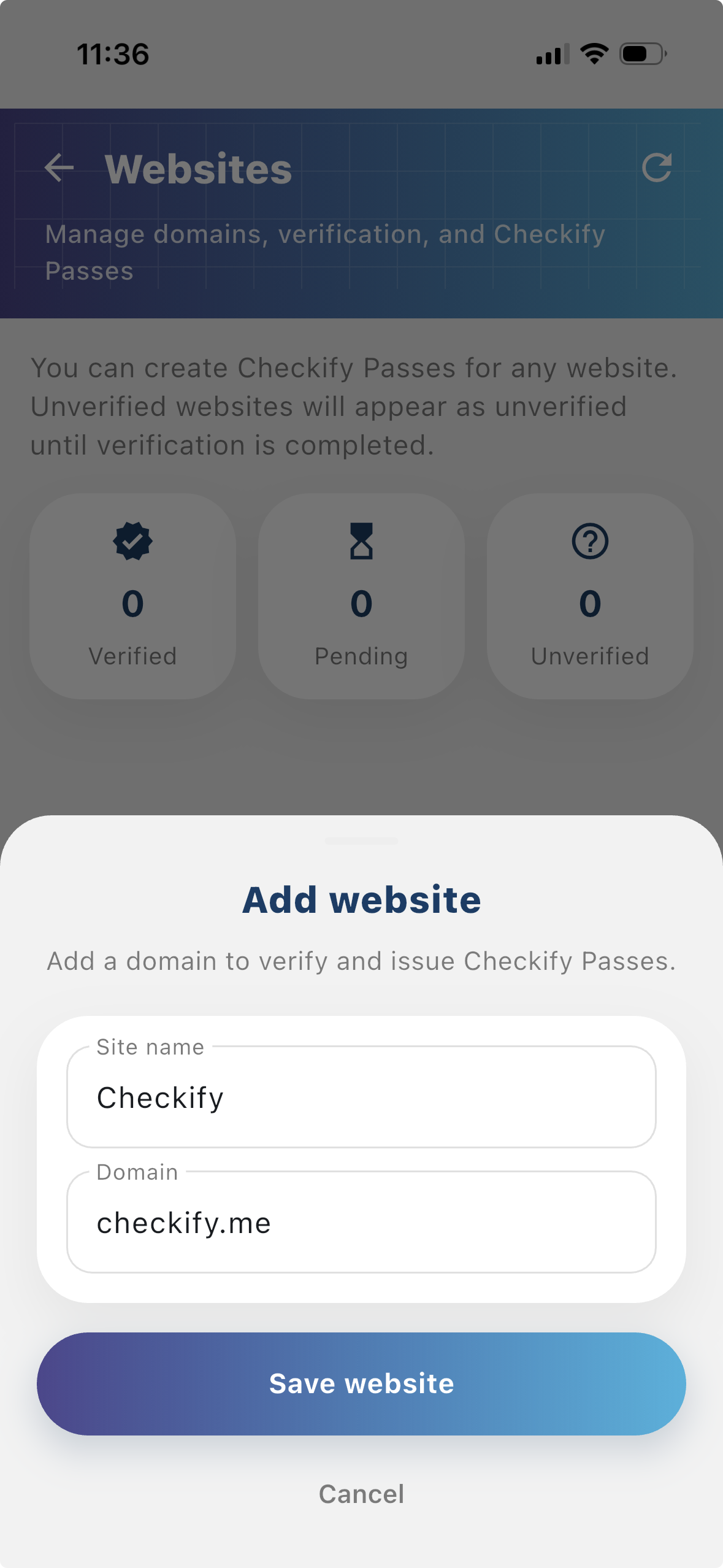
웹사이트 또는 실제 위치를 추가하려면 탭하세요. Checkify은 사이트당 하나의 패스를 자동으로 프로비저닝합니다. 처음 사이트를 등록하는 경우, 메시지가 표시되면 오버플로우 결제를 선택하고 카드를 저장하세요. 무료 크레딧 100개를 모두 사용한 후에만 요금이 청구됩니다.
New businesses get 500 free verification credits for 3 months. These are applied automatically when your business is created.
사용량 초과 청구 방식을 선택하시면 무료 크레딧 100개를 모두 사용한 후에만 요금이 청구됩니다. 구독은 언제든지 취소할 수 있습니다.
checkify.me에 가입하고 앱으로 로그인한 후 비즈니스 대시보드에서 사이트를 관리할 수도 있습니다. 위에서 설명한 앱 설정 방법이 대부분의 팀에게 가장 빠른 경로입니다.
checkify.me에 등록하세요 →하나의 사이트, 하나의 증명 요청, 하나의 비즈니스 흐름으로 시작하세요. 그런 다음 성장함에 따라 비즈니스 신뢰 수준을 높이십시오.