注册企业,提高验证级别,并为用户需要证明信任的网站创建 Checkify Passes。
Every new business receives 100 free credits when you register. Use them for verifications before you need to buy more or enable overflow billing.
By selecting overflow billing, you will only be charged once your free 100 credits have been used up. You can cancel your subscription at any time.
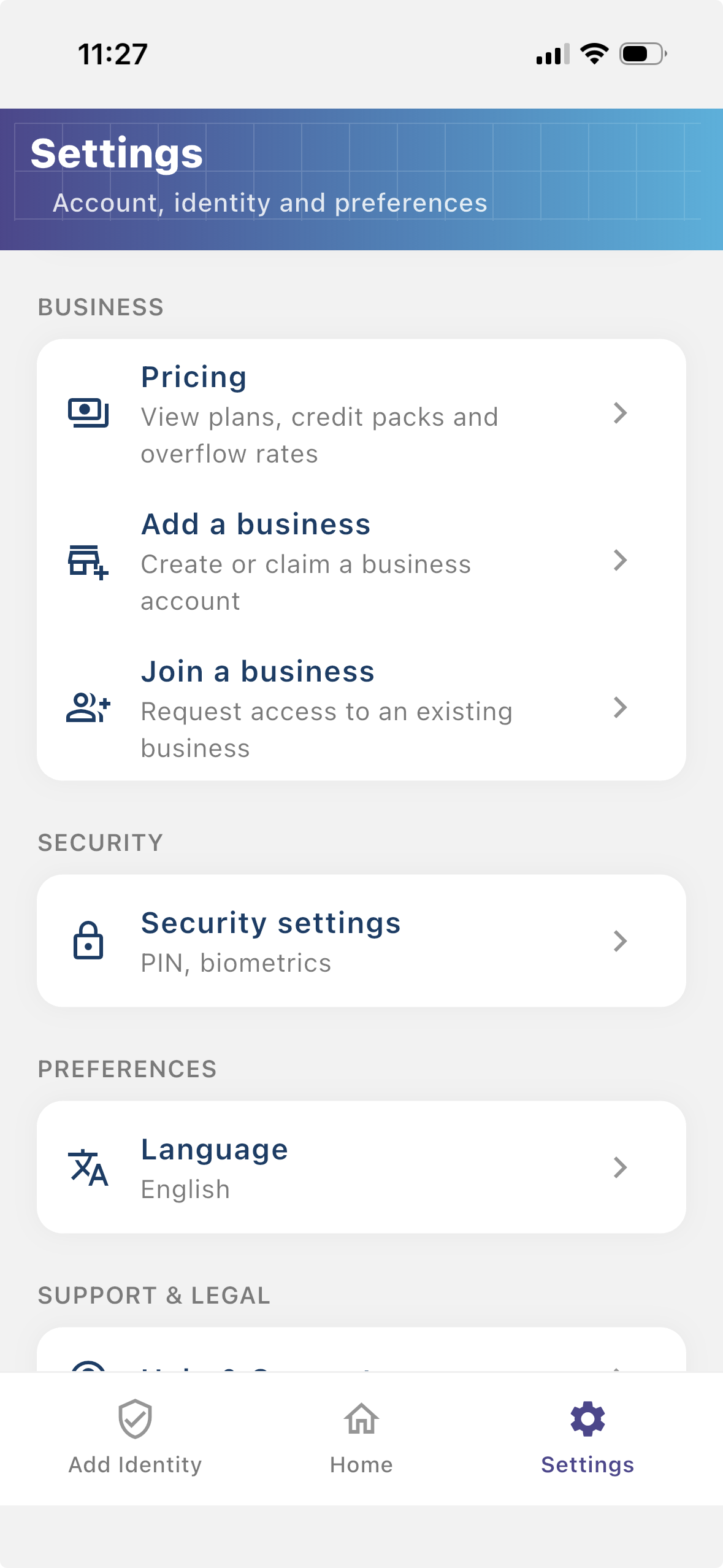
Install the Checkify app, create your identity, then follow these steps in Settings. The same business account also works on checkify.me.
步骤1
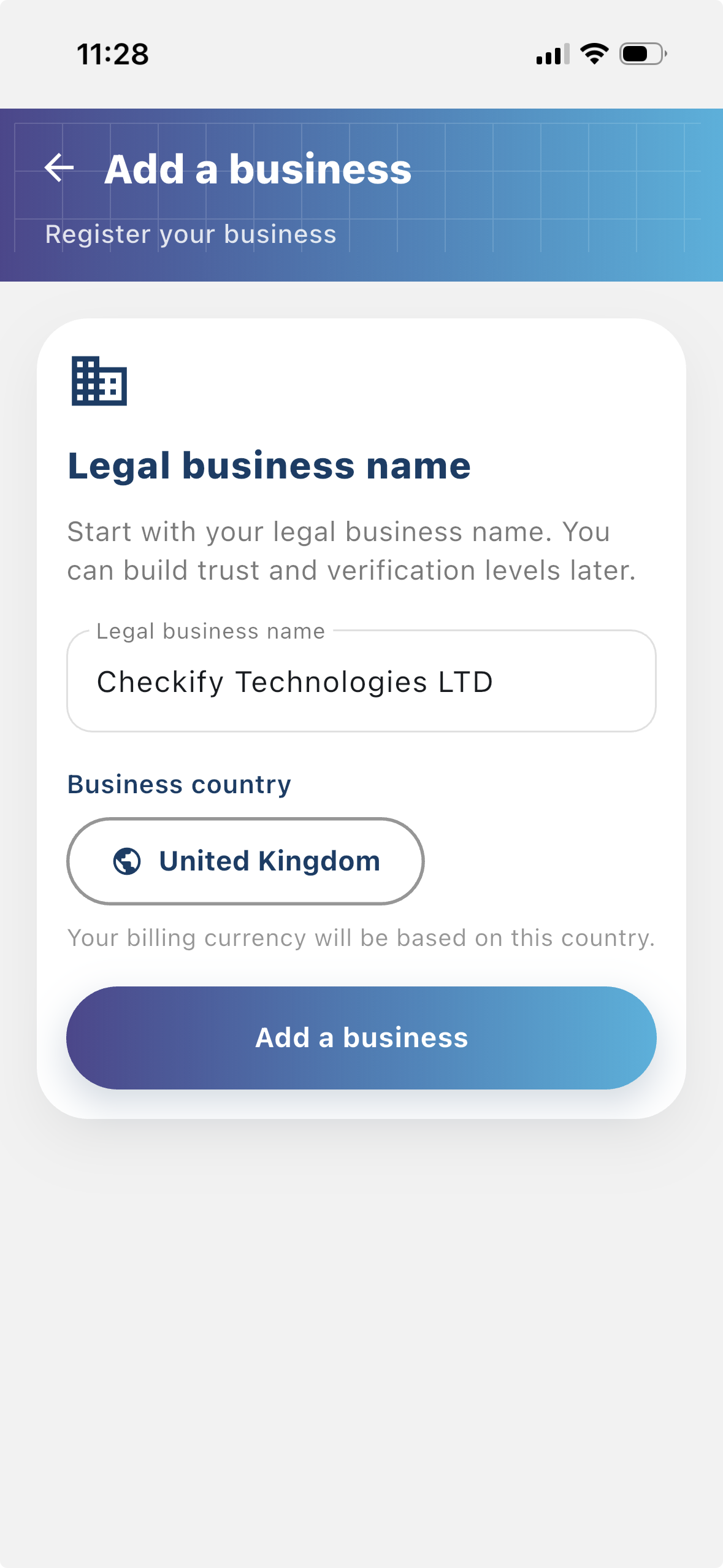
注册您的企业,以便用户可以看到谁在请求验证。注册企业可以为您的 Checkify 流程提供更多背景信息,并有助于与用户建立信任。
步骤2
站点是创建和使用 Checkify Passes 的地方。这可以是网站、应用程序、结帐流程、预订流程、物理场所、接待台、柜台或其他现实位置。
步骤3
A Checkify Pass 是您针对网站创建的证明请求。它定义了您希望用户证明的内容,例如人工验证、年满 18 岁或批准特定操作。
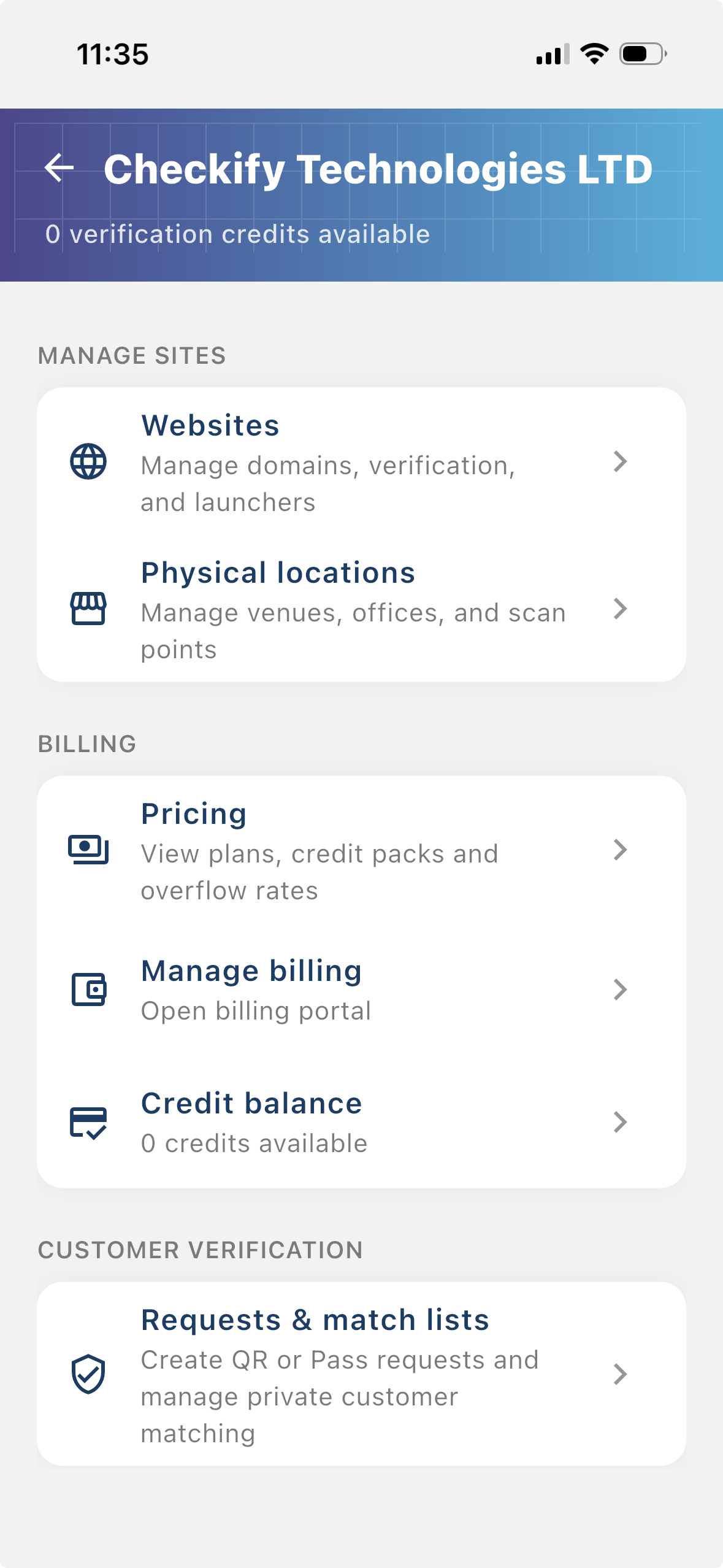
From the business menu you can:
步骤4
Go to Settings → Manage sites. Here you add websites, apps, or physical locations where Checkify Passes will be used.
步骤5
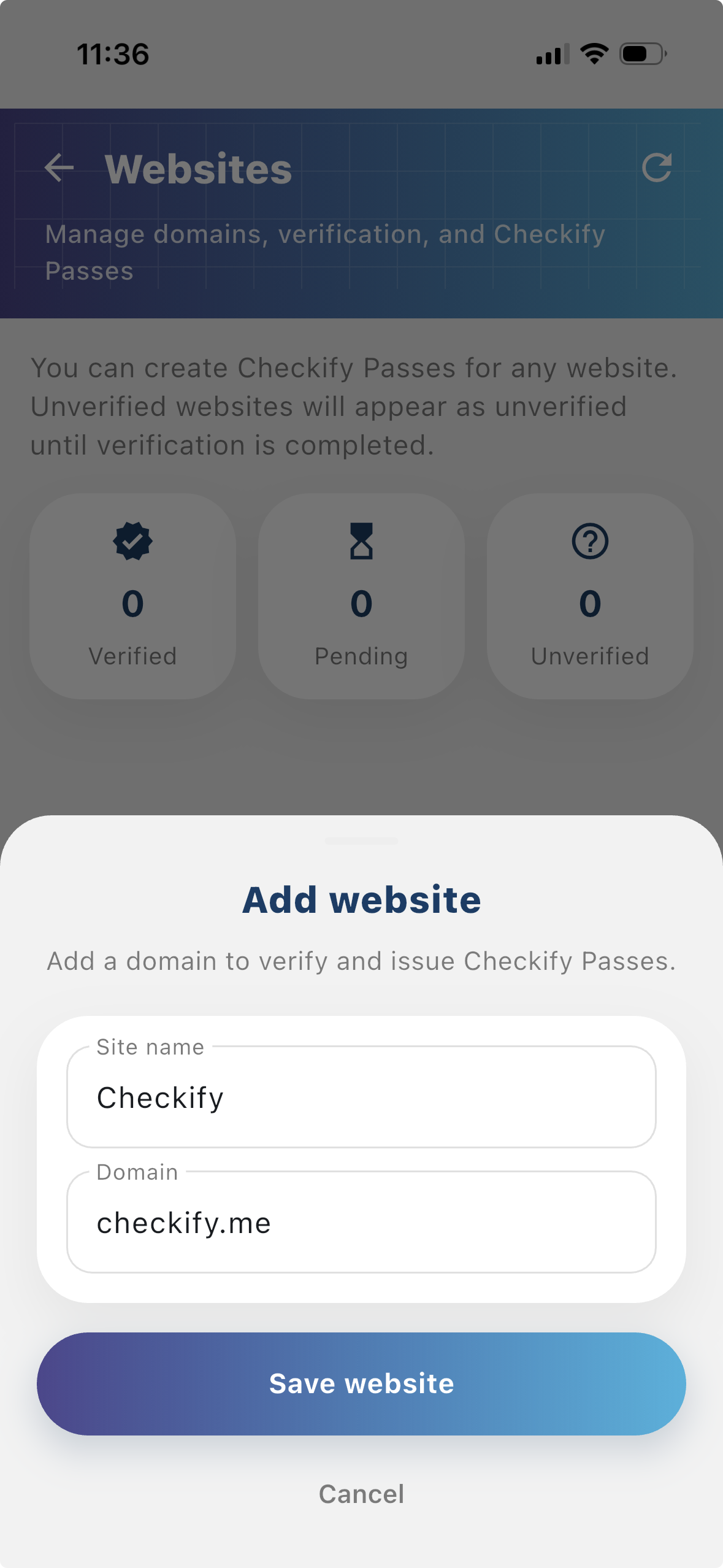
Tap to add a website or physical location. Checkify auto-provisions one Pass per site. If this is your first site, choose overflow billing and save a card when prompted — you are only charged after your free 100 credits are used up.
New businesses get 100 free credits on sign-up. These are applied automatically when your business is created.
By selecting overflow billing, you will only be charged once your free 100 credits have been used up. You can cancel your subscription at any time.
You can also register at checkify.me, sign in with the app, and manage sites from the business dashboard. The app setup above is the fastest path for most teams.
Register on checkify.me →从一个站点、一项证明请求和一项业务流程开始。然后随着您的成长提高您的企业信任级别。