سجل نشاطًا تجاريًا، وقم بزيادة مستوى التحقق الخاص بك، وأنشئ Checkify Passes للمواقع التي يحتاج المستخدمون فيها إلى إثبات الثقة.
Every new business receives 100 free credits when you register. Use them for verifications before you need to buy more or enable overflow billing.
By selecting overflow billing, you will only be charged once your free 100 credits have been used up. You can cancel your subscription at any time.
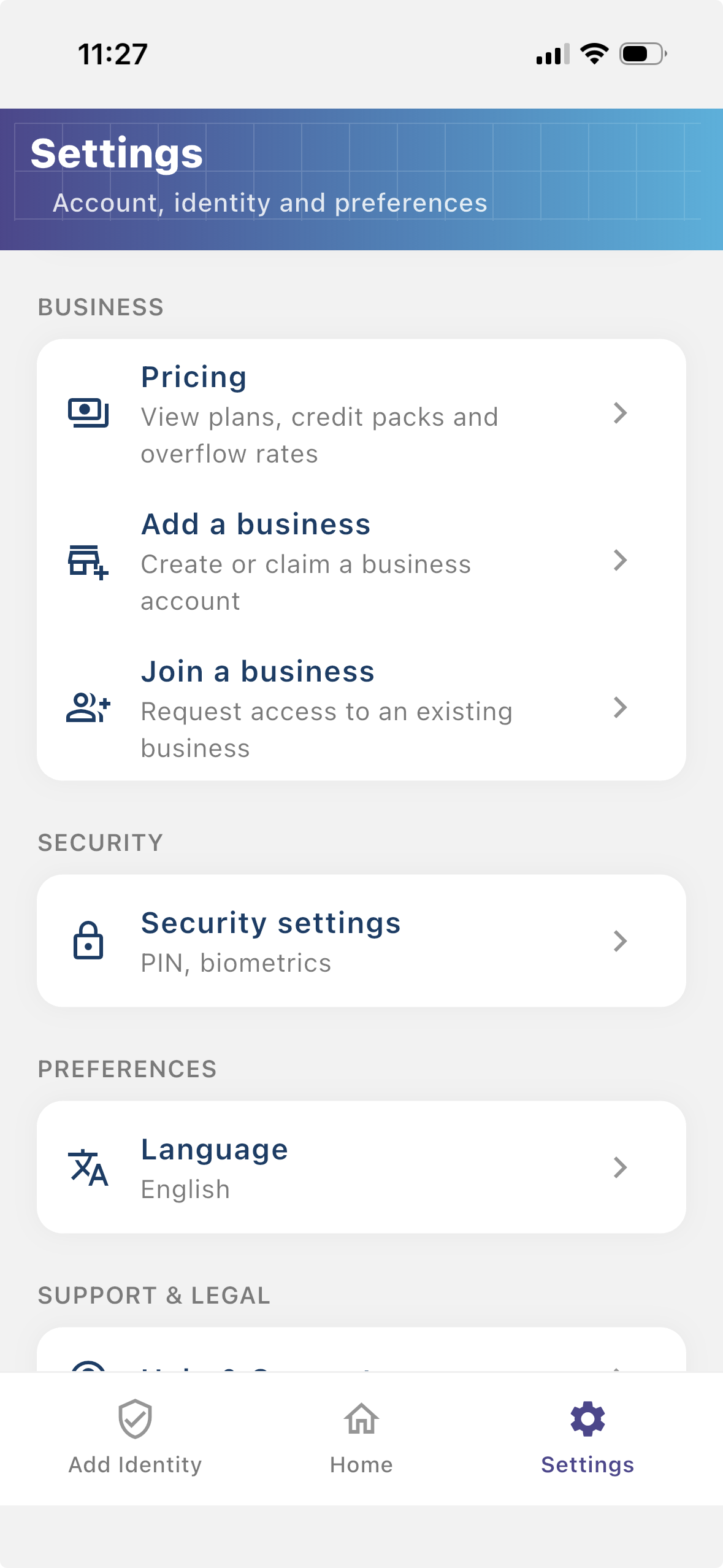
Install the Checkify app, create your identity, then follow these steps in Settings. The same business account also works on checkify.me.
الخطوة 1
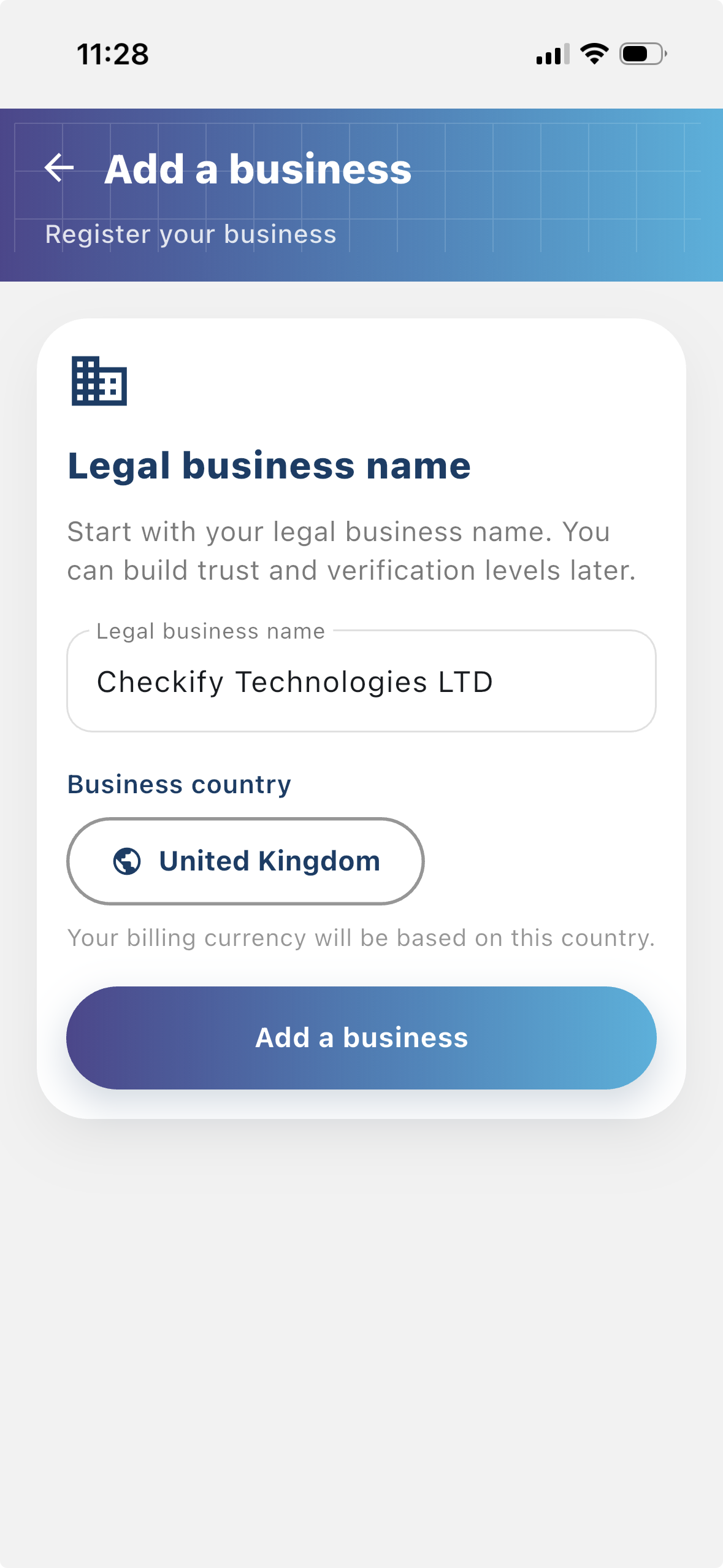
سجل عملك حتى يتمكن المستخدمون من معرفة من يطلب التحقق. يمنح النشاط التجاري المسجل سياقًا أكبر لتدفقات Checkify الخاصة بك ويساعد في بناء الثقة مع المستخدمين.
الخطوة 2
الموقع هو المكان الذي يتم فيه إنشاء Checkify Passes واستخدامه. يمكن أن يكون هذا موقعًا إلكترونيًا، أو تطبيقًا، أو تدفق الدفع، أو تدفق الحجز، أو مكانًا فعليًا، أو مكتب استقبال، أو مكتبًا، أو أي موقع آخر في العالم الحقيقي.
الخطوة 3
A Checkify Pass هو طلب الإثبات الذي تقوم بإنشائه ضد أحد المواقع. فهو يحدد ما تريد أن يثبته المستخدم، مثل التحقق البشري، أو فوق 18 عامًا، أو الموافقة على إجراء محدد.
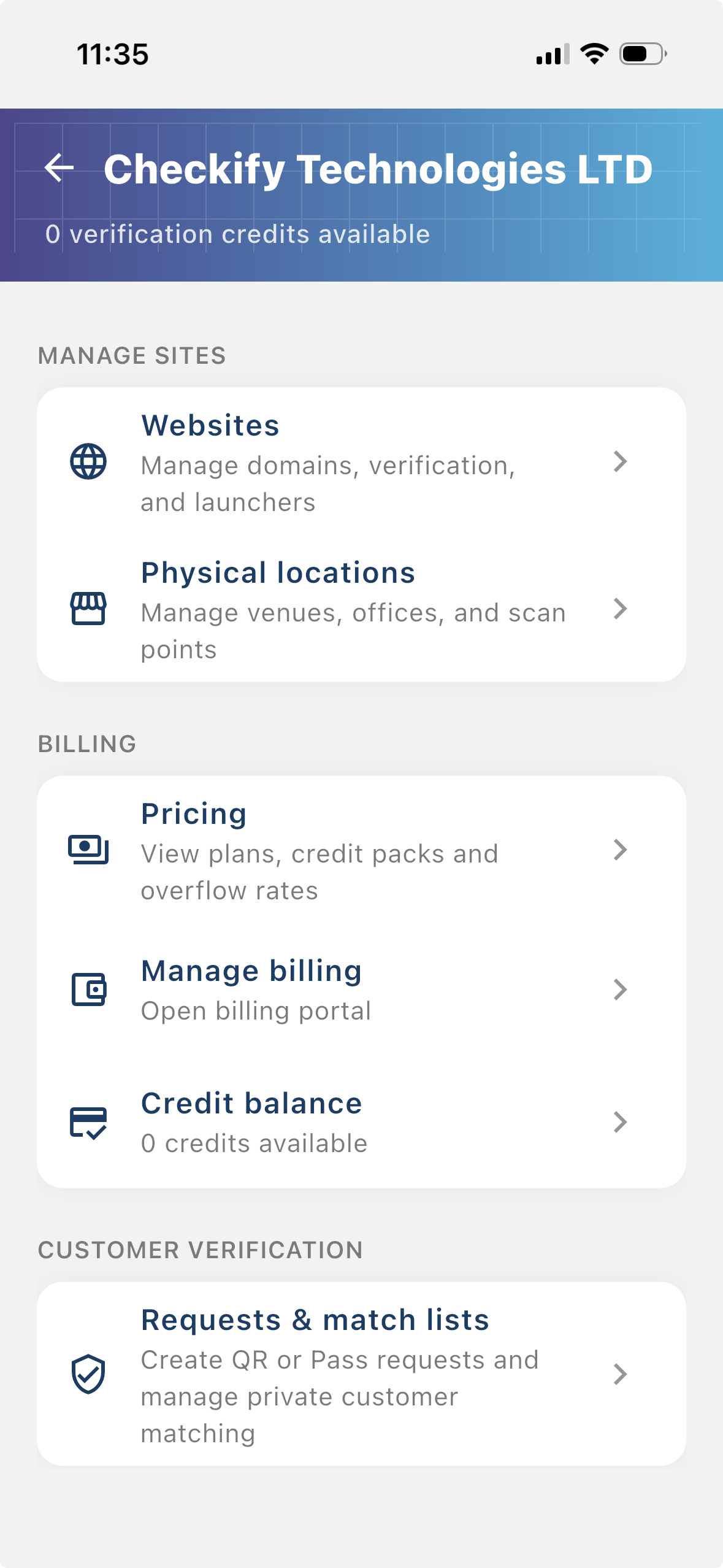
From the business menu you can:
الخطوة 4
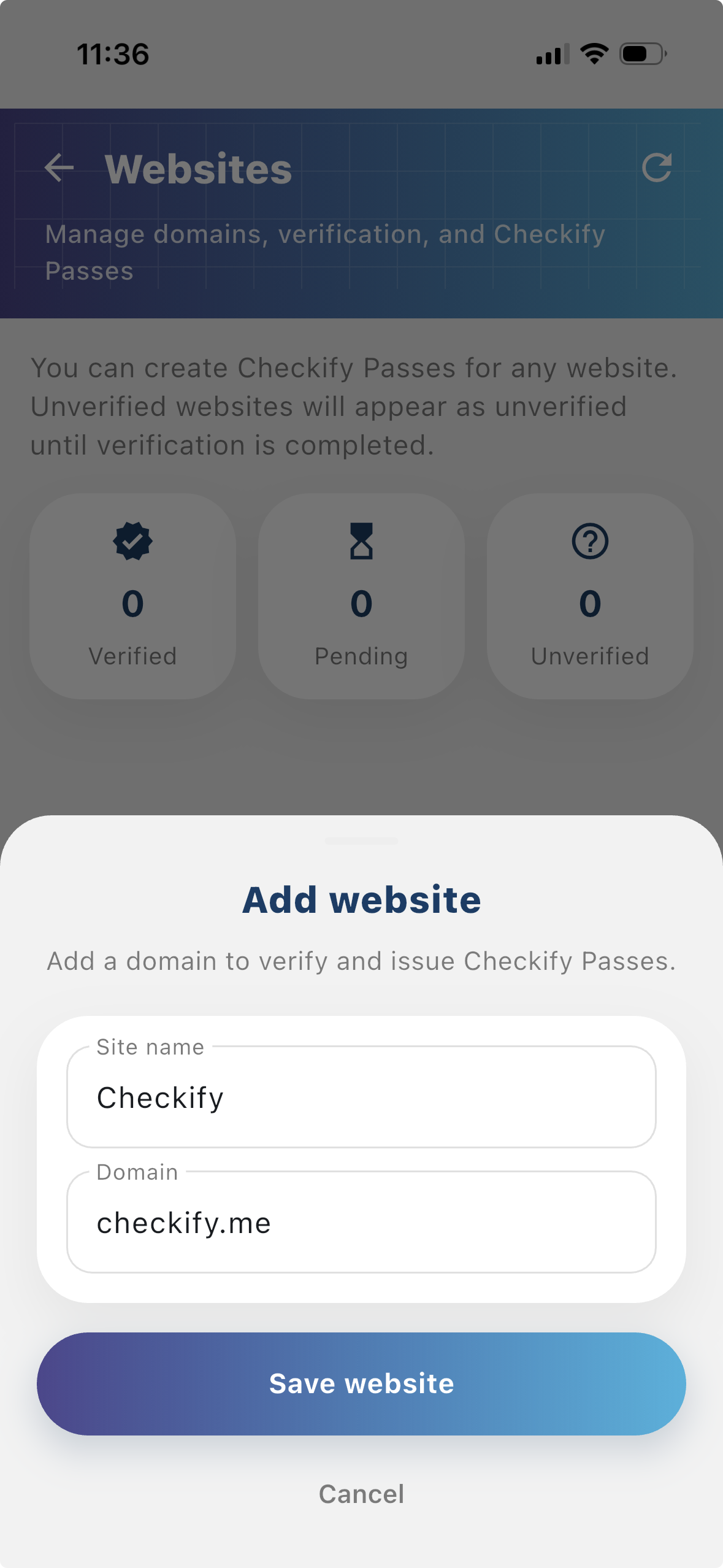
Go to Settings → Manage sites. Here you add websites, apps, or physical locations where Checkify Passes will be used.
الخطوة 5
Tap to add a website or physical location. Checkify auto-provisions one Pass per site. If this is your first site, choose overflow billing and save a card when prompted — you are only charged after your free 100 credits are used up.
New businesses get 100 free credits on sign-up. These are applied automatically when your business is created.
By selecting overflow billing, you will only be charged once your free 100 credits have been used up. You can cancel your subscription at any time.
You can also register at checkify.me, sign in with the app, and manage sites from the business dashboard. The app setup above is the fastest path for most teams.
Register on checkify.me →ابدأ بموقع واحد وطلب إثبات واحد وتدفق أعمال واحد. ثم قم بزيادة مستوى الثقة في عملك مع نموك.