ลงทะเบียนธุรกิจ เพิ่มระดับการยืนยัน และสร้าง Checkify Pass สำหรับไซต์ที่ผู้ใช้ต้องพิสูจน์ความน่าเชื่อถือ
Every new business receives 100 free credits when you register. Use them for verifications before you need to buy more or enable overflow billing.
By selecting overflow billing, you will only be charged once your free 100 credits have been used up. You can cancel your subscription at any time.
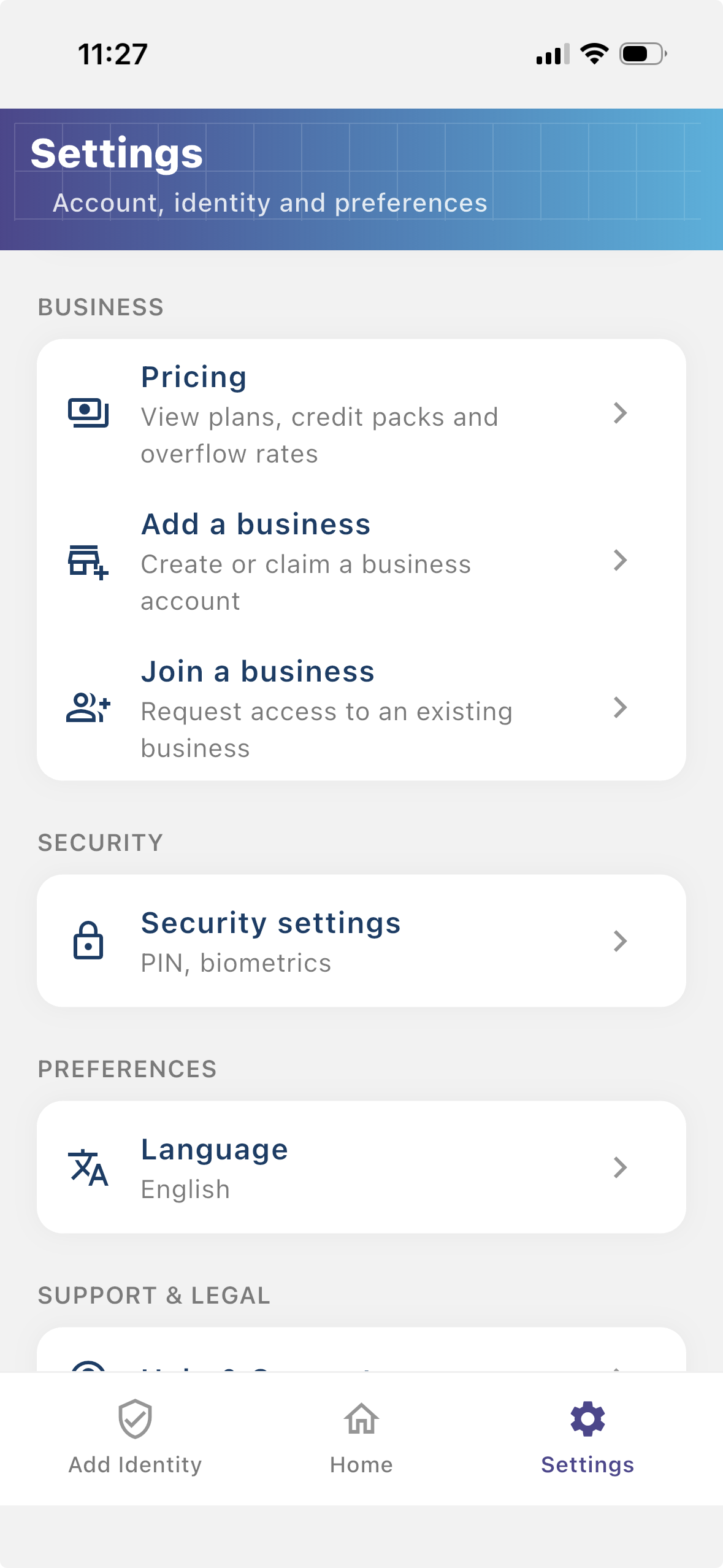
Install the Checkify app, create your identity, then follow these steps in Settings. The same business account also works on checkify.me.
ขั้นตอน 1
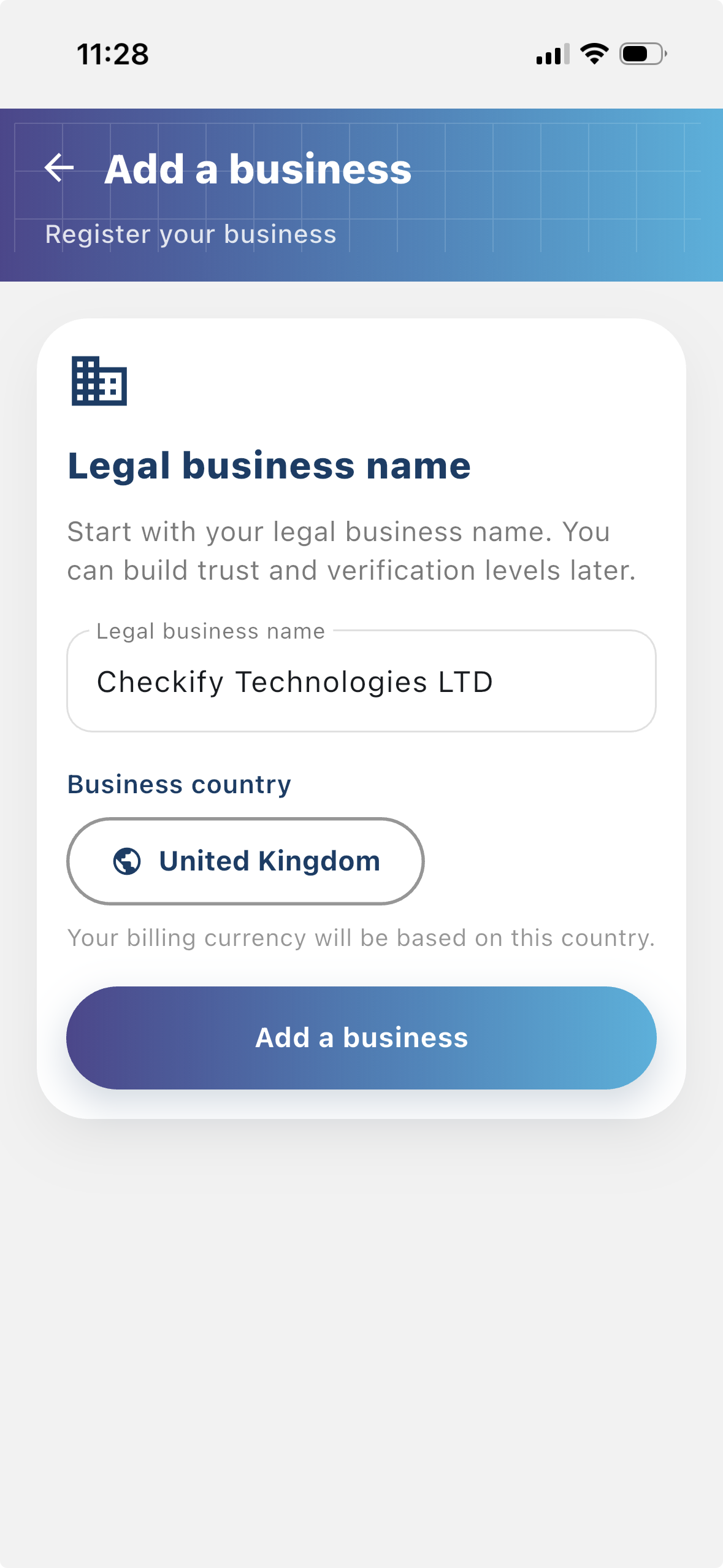
ลงทะเบียนธุรกิจเพื่อให้ผู้ใช้เห็นว่าใครกำลังขอการยืนยัน ธุรกิจที่ลงทะเบียนแล้วให้บริบทมากขึ้นแก่ขั้นตอน Checkify และช่วยสร้างความเชื่อมั่นกับผู้ใช้
ขั้นตอน 2
ไซต์คือจุดที่สร้างและใช้ Checkify Pass อาจเป็นเว็บไซต์ แอป ขั้นตอนชำระเงิน ขั้นตอนจอง สถานที่จริง แผนกต้อนรับ เคาน์เตอร์ หรือจุดอื่นๆ
ขั้นตอน 3
Checkify Pass คือคำขอหลักฐานที่คุณสร้างสำหรับไซต์ กำหนดสิ่งที่ต้องการให้ผู้ใช้พิสูจน์ เช่น การยืนยันว่าเป็นมนุษย์ อายุเกิน 18 หรือการอนุมัติสำหรับการดำเนินการเฉพาะ
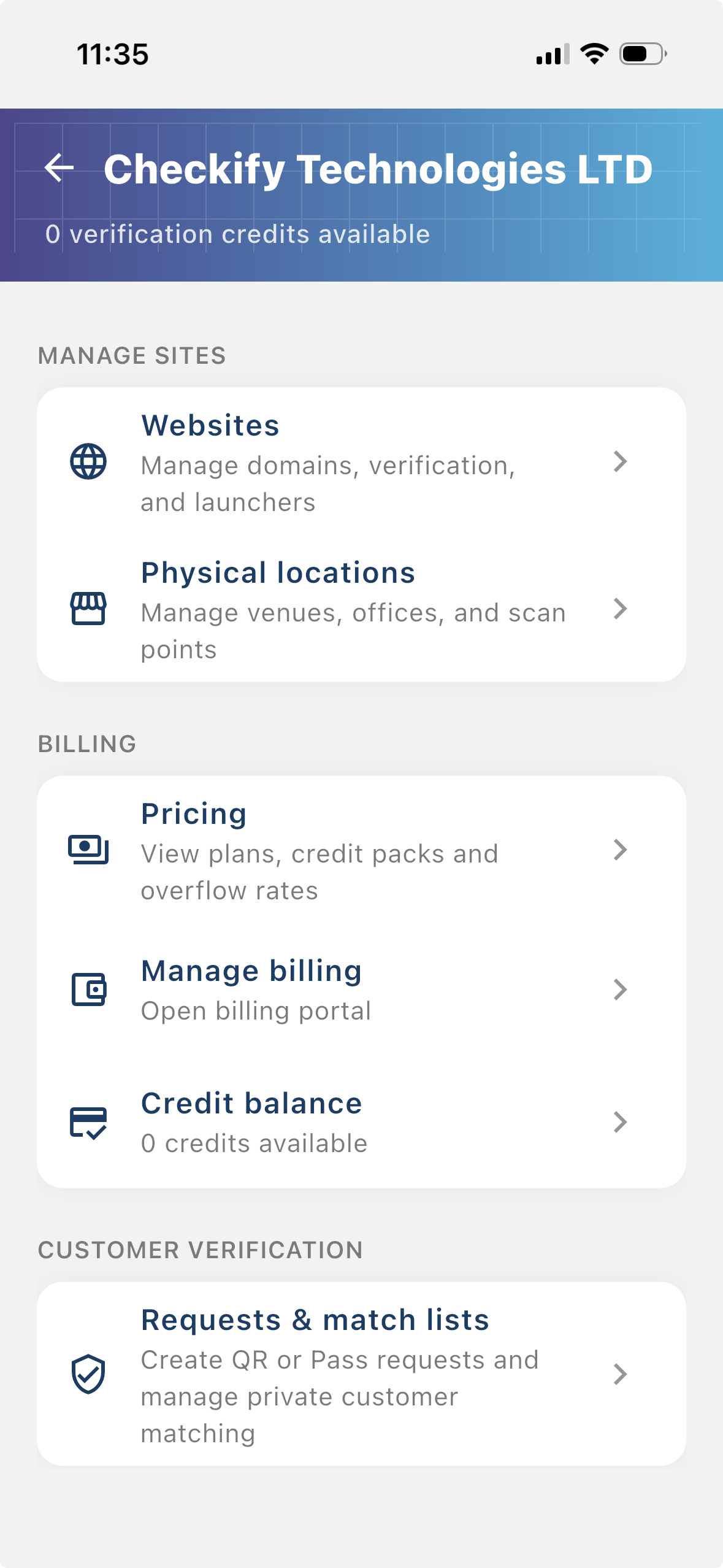
From the business menu you can:
ขั้นตอน 4
Go to Settings → Manage sites. Here you add websites, apps, or physical locations where Checkify Passes will be used.
ขั้นตอน 5
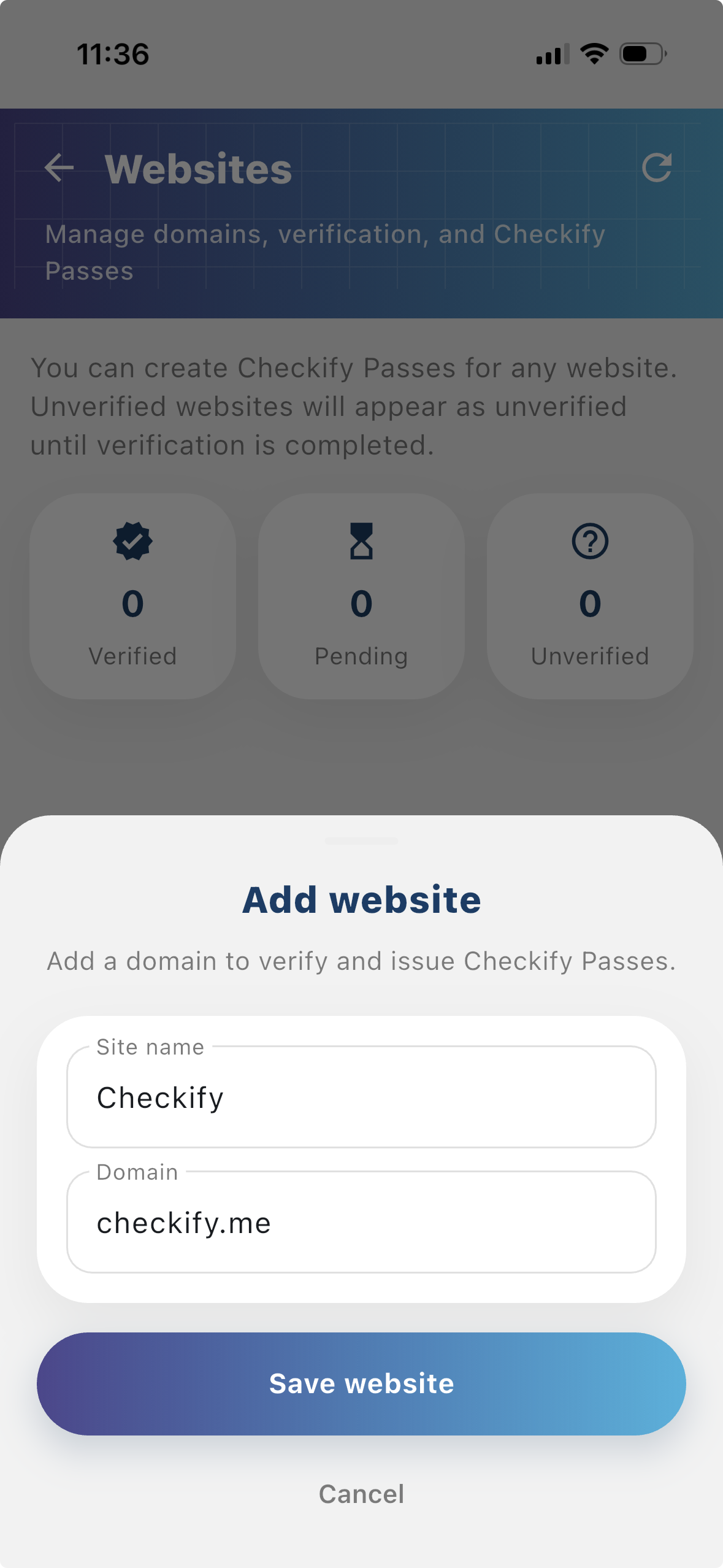
Tap to add a website or physical location. Checkify auto-provisions one Pass per site. If this is your first site, choose overflow billing and save a card when prompted — you are only charged after your free 100 credits are used up.
New businesses get 100 free credits on sign-up. These are applied automatically when your business is created.
By selecting overflow billing, you will only be charged once your free 100 credits have been used up. You can cancel your subscription at any time.
You can also register at checkify.me, sign in with the app, and manage sites from the business dashboard. The app setup above is the fastest path for most teams.
Register on checkify.me →เริ่มด้วยหนึ่งไซต์ หนึ่งคำขอหลักฐาน และหนึ่งขั้นตอนธุรกิจ แล้วเพิ่มระดับความน่าเชื่อถือของธุรกิจเมื่อคุณเติบโต