Registra un'azienda, aumenta il tuo livello di verifica e crea Checkify Passes per i siti in cui i tuoi utenti devono dimostrare la loro fiducia.
Every new business receives 100 free credits when you register. Use them for verifications before you need to buy more or enable overflow billing.
By selecting overflow billing, you will only be charged once your free 100 credits have been used up. You can cancel your subscription at any time.
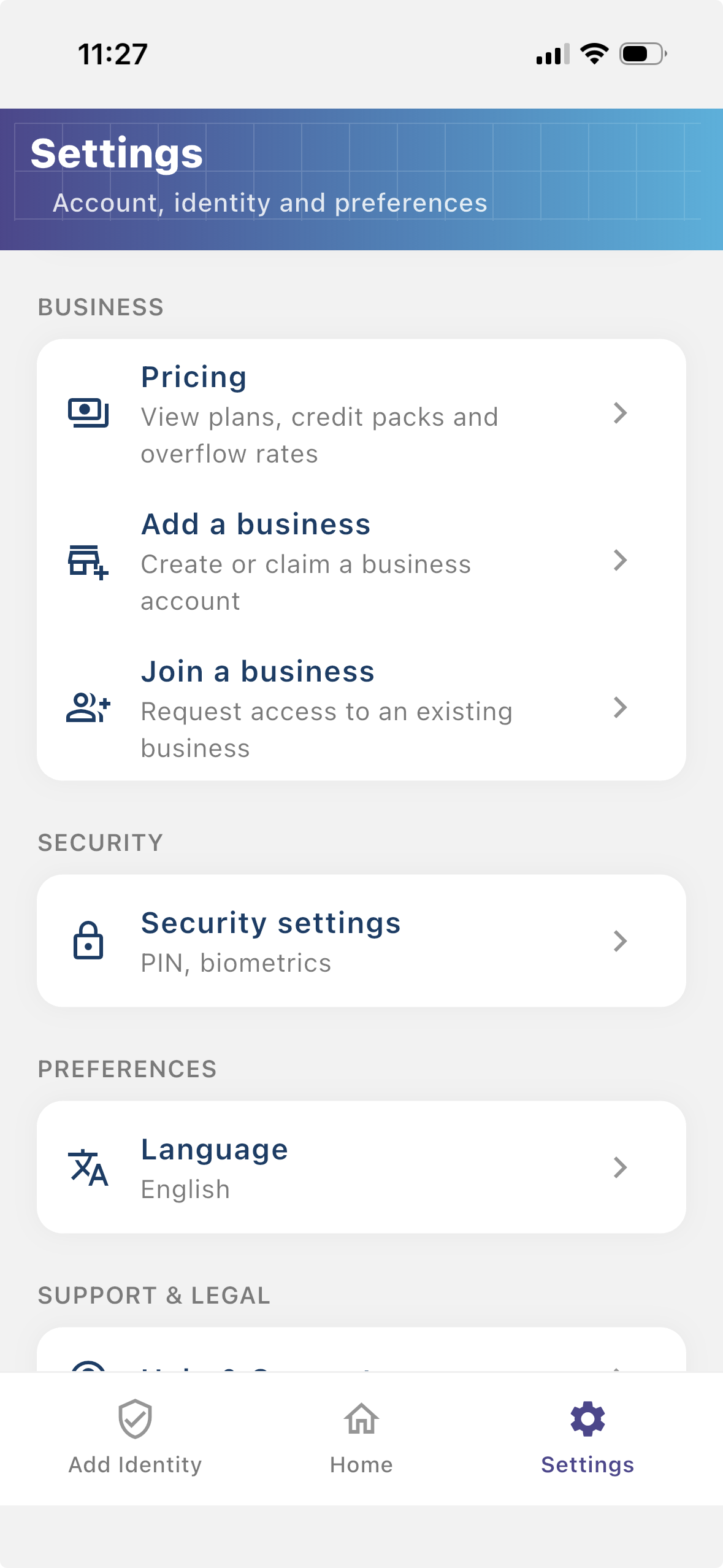
Install the Checkify app, create your identity, then follow these steps in Settings. The same business account also works on checkify.me.
Passaggio 1
Registra la tua attività in modo che gli utenti possano vedere chi sta richiedendo la verifica. Un'attività registrata offre ai tuoi flussi Checkify più contesto e aiuta a creare fiducia con gli utenti.
Passaggio 2
Un sito è il luogo in cui vengono creati e utilizzati Checkify Passes. Può trattarsi di un sito web, un'app, un flusso di pagamento, un flusso di prenotazione, un luogo fisico, una reception, uno sportello o un altro luogo reale.
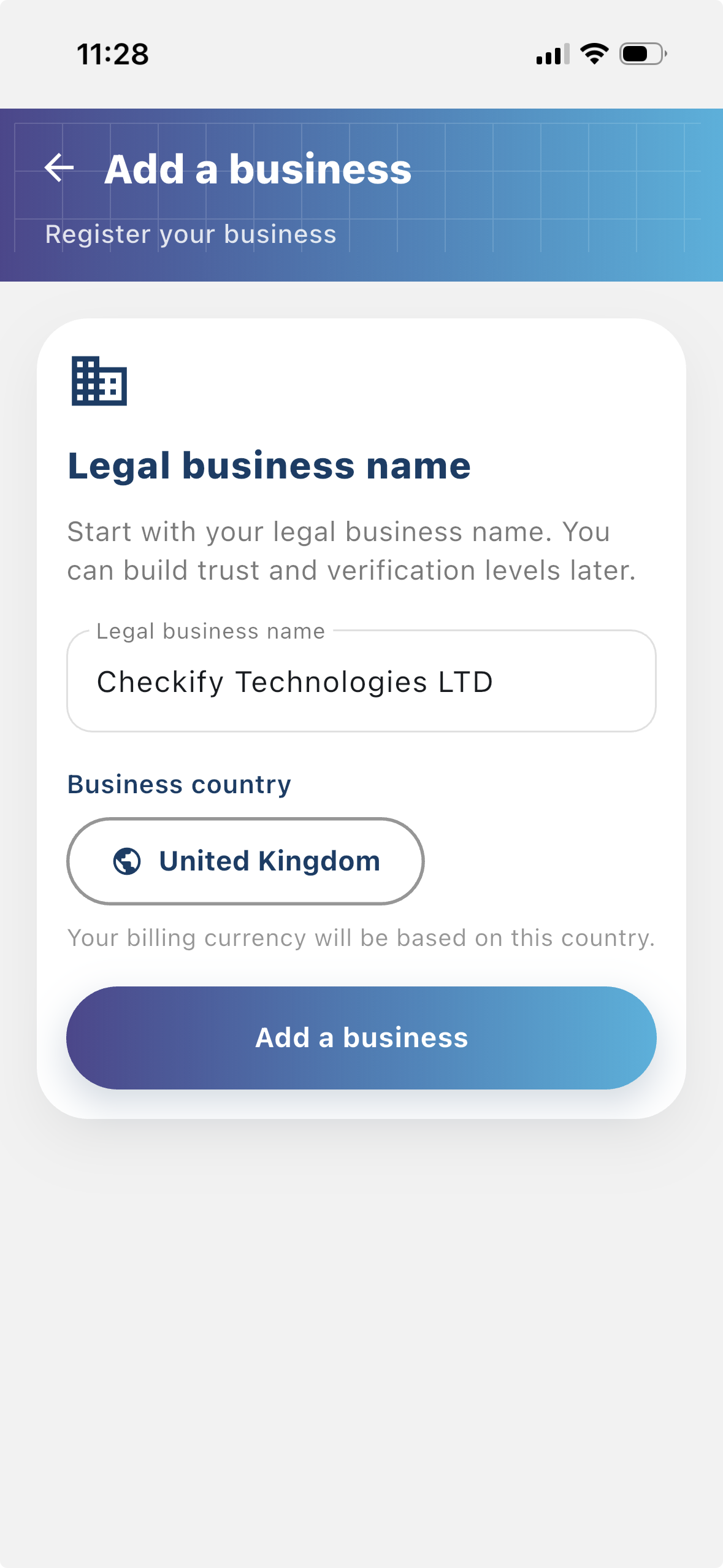
Passaggio 3
Un Checkify Pass è la richiesta di prova che crei rispetto a un sito. Definisce ciò che vuoi che l'utente dimostri, come la verifica umana, maggiore di 18 anni o l'approvazione per un'azione specifica.
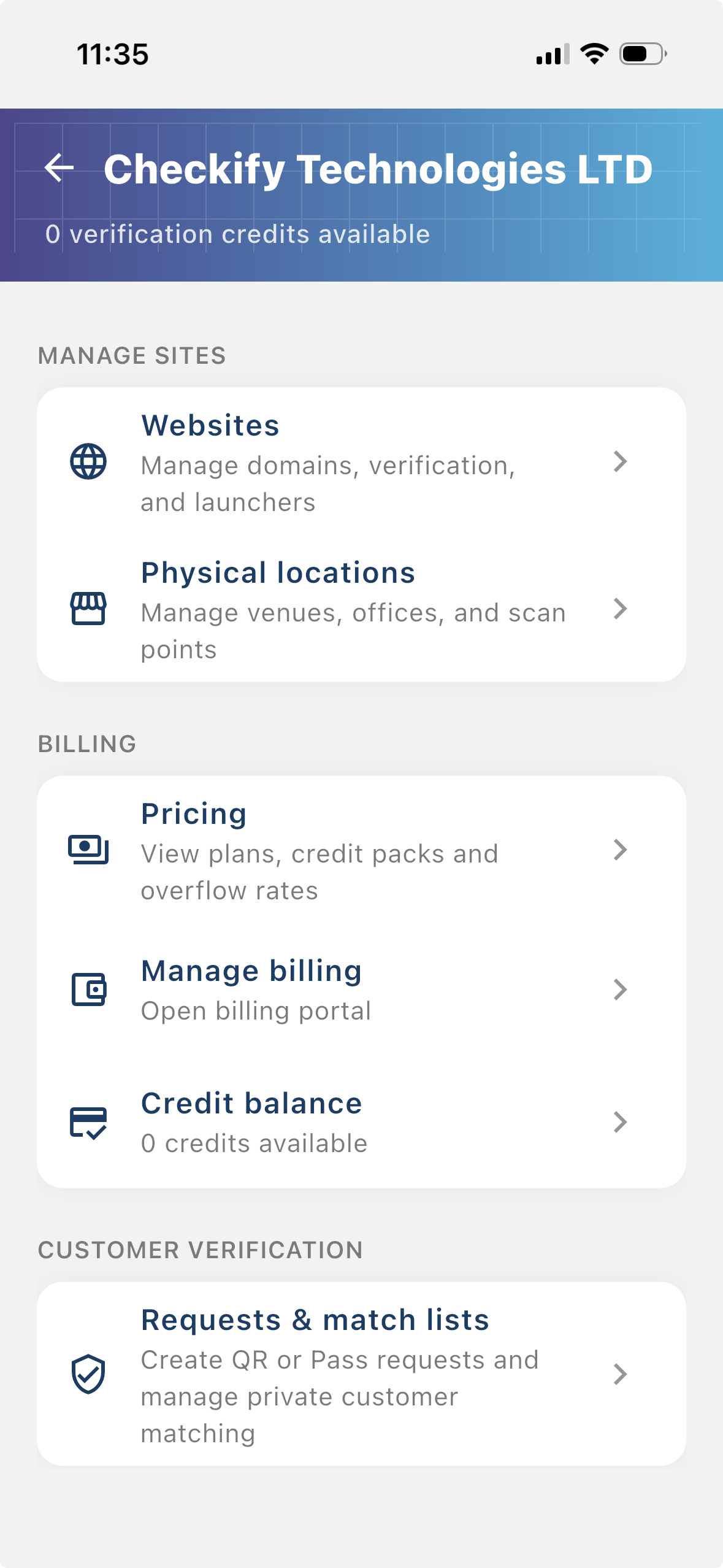
From the business menu you can:
Passaggio 4
Go to Settings → Manage sites. Here you add websites, apps, or physical locations where Checkify Passes will be used.
Passaggio 5
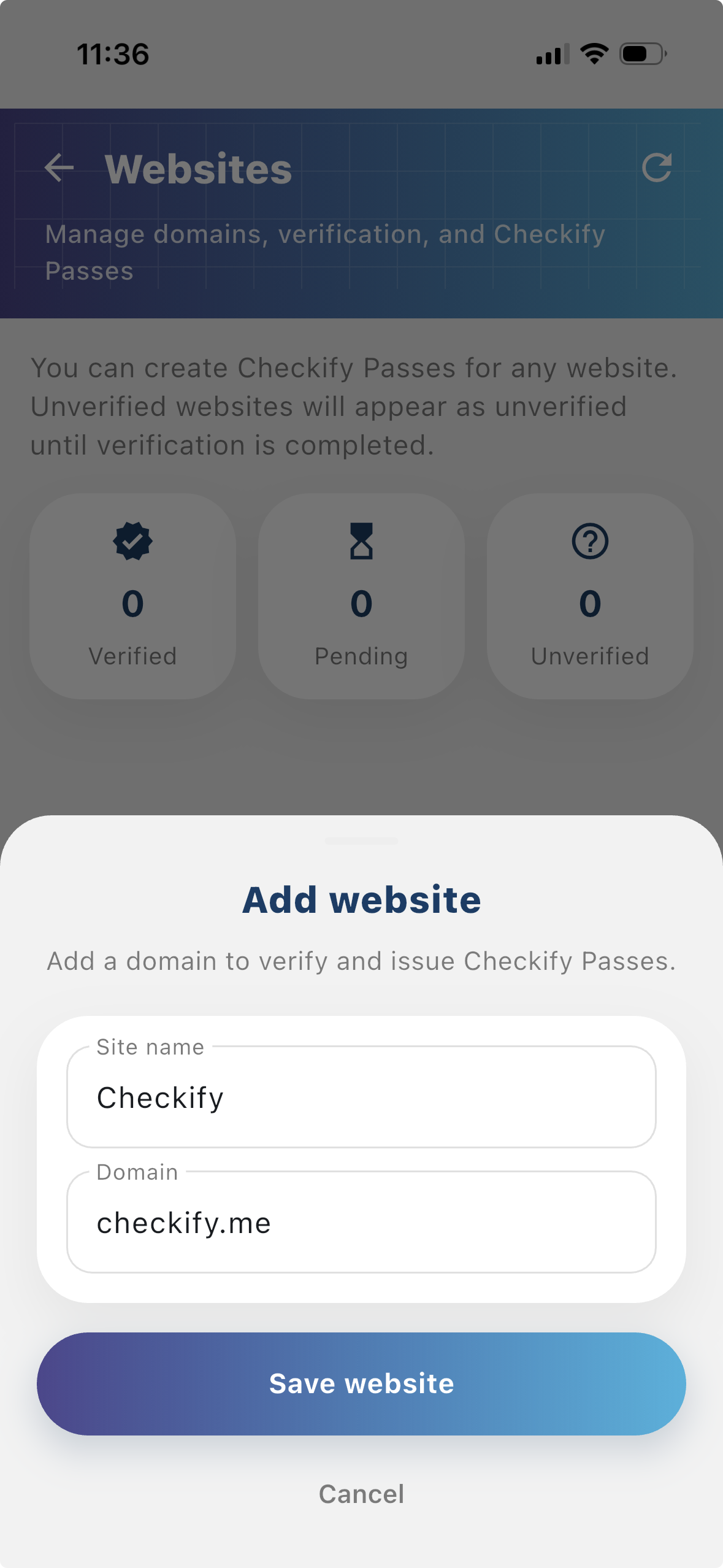
Tap to add a website or physical location. Checkify auto-provisions one Pass per site. If this is your first site, choose overflow billing and save a card when prompted — you are only charged after your free 100 credits are used up.
New businesses get 100 free credits on sign-up. These are applied automatically when your business is created.
By selecting overflow billing, you will only be charged once your free 100 credits have been used up. You can cancel your subscription at any time.
You can also register at checkify.me, sign in with the app, and manage sites from the business dashboard. The app setup above is the fastest path for most teams.
Register on checkify.me →Inizia con un sito, una richiesta di prova e un flusso aziendale. Quindi aumenta il livello di fiducia della tua azienda man mano che cresci.