Checkify
How Checkify works

A simple proof flow for online trust.

Checkify lets a business ask for a specific proof, the user approves it, and the business receives a trusted result without collecting unnecessary personal data.

Business asks. User approves. Checkify returns proof.

A Checkify Pass can request one proof or multiple proofs together, such as human verification, age threshold, or approval for a specific action.

Works for websites, apps, WordPress, WooCommerce, QR codes, and physical locations.

Checkify proof flow
Pass request → User approval → Trusted result
Proof-first
Example request
Is this user human? Approved
Is this user over 18? Approved
Share full passport? Not required
Business receives result? Yes
1
Add site
2
User approves
3
Get result
Less
data exposure
More
user control
Overview

Checkify separates trust into three simple parts.

Register a business, create a site, and Checkify auto-provisions one Pass per site. Each integration chooses the proof type in your plugin, embed, or API call.

1

Business

The business is the organisation, venue, shop, website owner, or service provider asking for proof.

Businesses can increase their verification level over time so users have more confidence in who is requesting the proof.

2

Site

A site is where verification happens. It can be a website, app, checkout flow, physical shop, venue, counter, or QR location.

Sites are where Checkify Passes are created and managed.

3

Checkify Pass

A Checkify Pass is the proof request shown to the user.

One Pass per site includes human verification by default. Age and other proofs are selected where you integrate — not as separate Passes.

The flow

From proof request to trusted result.

Checkify is designed to make verification clear for the business and controlled by the user.

Step 1

Create a site (Pass included)

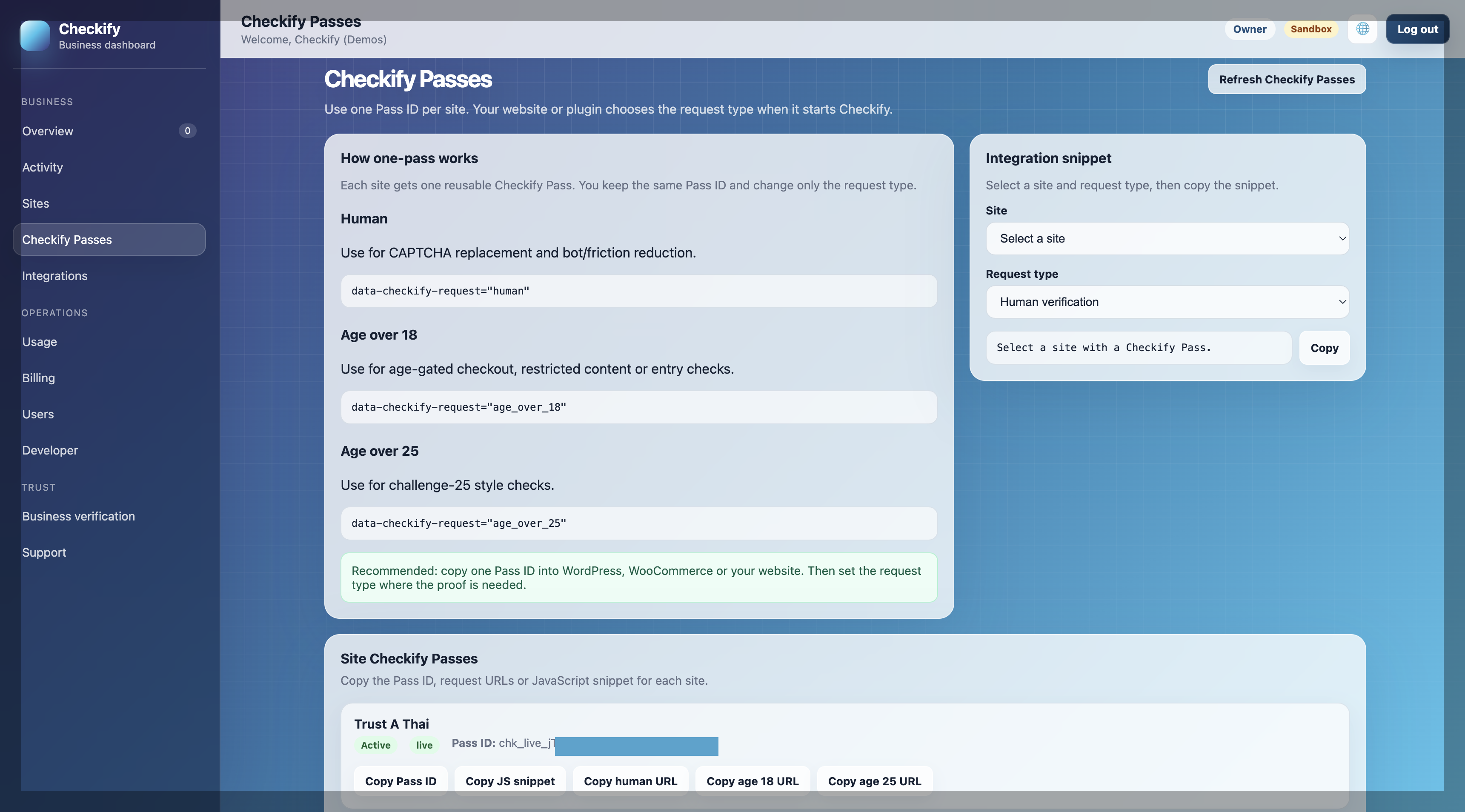
Add a digital or physical site in the Checkify app or business dashboard. Checkify auto-provisions one Pass with human verification for that site.

Choose the site where verification happens.
Human verification is included automatically — set age or other request types in your plugin, embed, or API call.
Copy the Checkify Pass ID for integrations.
Outcome: Site and Pass ready
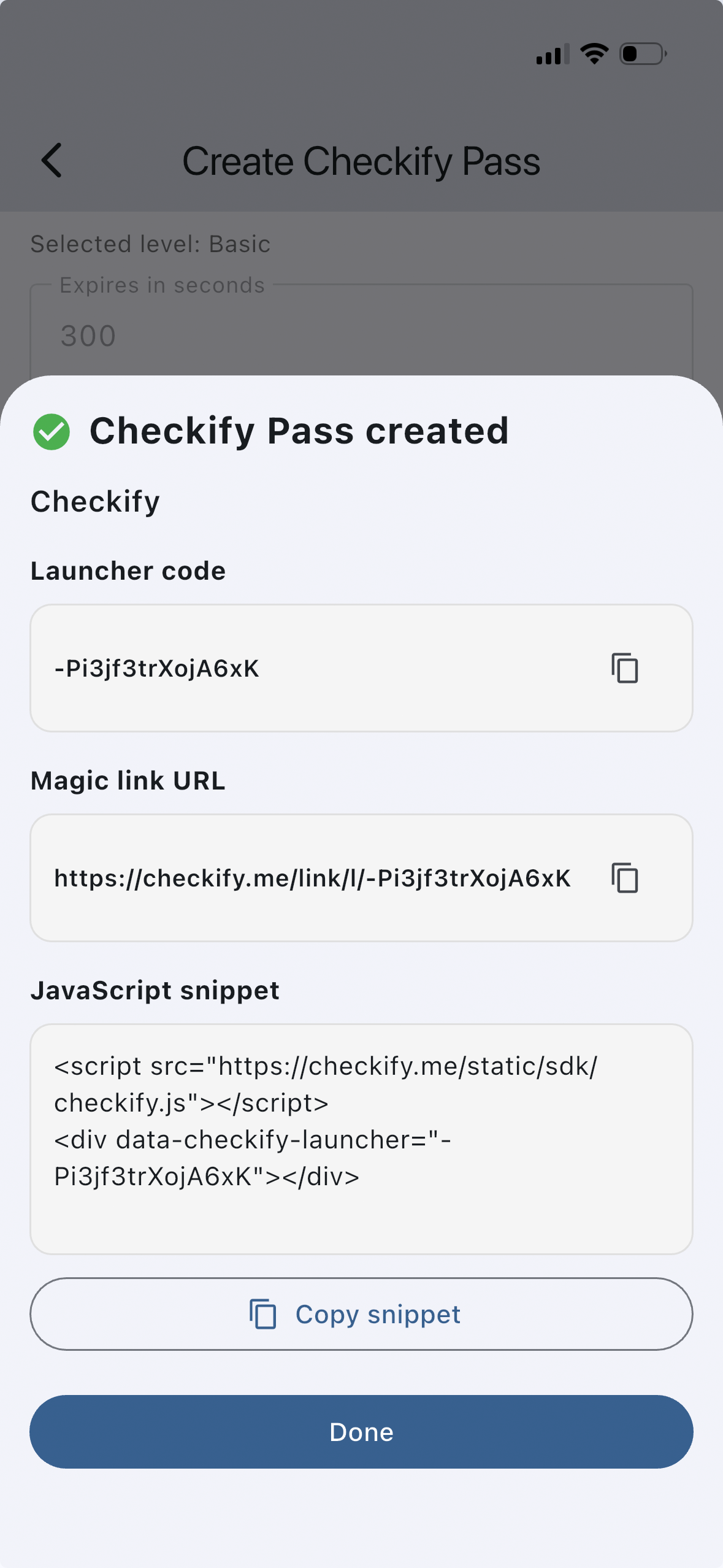
Create a Checkify Pass

Step 2

The Pass is shown where verification happens

The Checkify Pass can appear on a website, inside a WordPress plugin, at WooCommerce checkout, in a custom integration, or as a QR code at a physical location.

Example integration
data-checkify-pass="YOUR_PASS_ID" data-checkify-request="human"
Outcome: Pass shown to user
Checkify Pass shown to user

Step 3

The user reviews and approves the request

The user sees what is being requested and chooses whether to approve it. The goal is to make the request narrow, clear, and consent-based.

The user can see what proof is being requested.
The user approves the request through Checkify.
The business receives a proof result, not unnecessary raw data.
Outcome: User approves proof

What the user sees

Who is asking?
The business or site requesting the proof.
What is requested?
Human verification, age threshold, or another proof.
What is shared?
The proof result needed for that flow.

Step 4

The business receives the result

Once the user completes the Checkify Pass, the business receives the result it needs to continue the flow.

Example result
{
  "status": "completed",
  "human_verified": true,
  "age_over_18": true
}
Outcome: Business gets trusted result

Business decisions

Continue checkout
Allow a customer to complete an age-gated purchase.
Allow signup
Let a user continue after human verification.
Approve action
Confirm a sensitive request before proceeding.
Where it works

Use Checkify online, in apps, or in physical locations.

The same proof-first approach can support websites, WordPress, WooCommerce, custom integrations, and QR-based in-person checks.

Website forms

Add human verification before contact forms, account creation, or sensitive submissions.

WooCommerce checkout

Request age or human verification before checkout completion.

Custom integrations

Use a Checkify Pass ID in your own website, app, or custom flow.

Physical QR checks

Create QR or magic-link launchers from the business dashboard for shops, desks, reception, venues, or collection points.

Privacy-first design

Checkify is designed to reduce unnecessary data exposure.

A business often needs a trusted answer, not the raw personal data behind that answer. Checkify is built around requesting the narrowest proof needed for the flow.

This helps users stay in control and helps businesses avoid becoming large identity data stores when a simple proof is enough.

Privacy principles

Proofs over raw data
Ask for “human verified” or “over 18” instead of collecting more data by default.
User approval
The user can see and approve what is being requested.
Reduced business liability
Businesses can reduce unnecessary personal data collection and storage.
Reusable trust
Users can build trust once and reuse it across supported Checkify flows.

Businesses get confidence without collecting everything.

The goal is not to remove verification. The goal is to make verification more focused, more private, and less risky for both sides.

Traditional approach

Collect personal data first, then decide what to do with it.

Checkify approach

Ask for the specific proof needed and return a trusted result.

Setup path

How to get started

Start small with one site and one Checkify Pass. Expand once the flow is working.

1

Register business

Create a business profile so users know who is requesting the proof.

2

Add site

Add a website, app, checkout flow, venue, or physical location.

3

Copy Pass ID and integrate

Human verification is included automatically; configure age and other proofs in your embed, plugin, or API.

4

Go live

Add the Pass ID to your integration, plugin, website, or QR flow.

FAQ

Common questions

Is Checkify only for CAPTCHA replacement?

No. CAPTCHA replacement is an easy starting point, but Checkify is designed for proof-based trust flows such as age checks, account protection, approvals, and QR-based verification.

What is a Checkify Pass?

A Checkify Pass is the reusable ID for a site. Checkify auto-provisions one Pass with human verification when you create a site; you choose proof types per integration.

Can one Pass request multiple proofs?

Yes. A Pass can request multiple proofs together, such as human verification and an age threshold in the same flow.

Do users have to share full identity data?

Checkify is designed to avoid unnecessary sharing by default. The business should request the narrowest proof needed for the flow.

Can it work in physical shops?

Yes. Physical sites can use QR-based Checkify Passes for counters, venues, receptions, events, or collection points.

What does the business receive?

The business receives a proof result or verification outcome, such as completed, human verified, or age threshold confirmed, depending on the Pass configuration.

Ready to create your first Checkify Pass?

Start with one business, one site, and one proof request. Then expand to more flows when ready.